
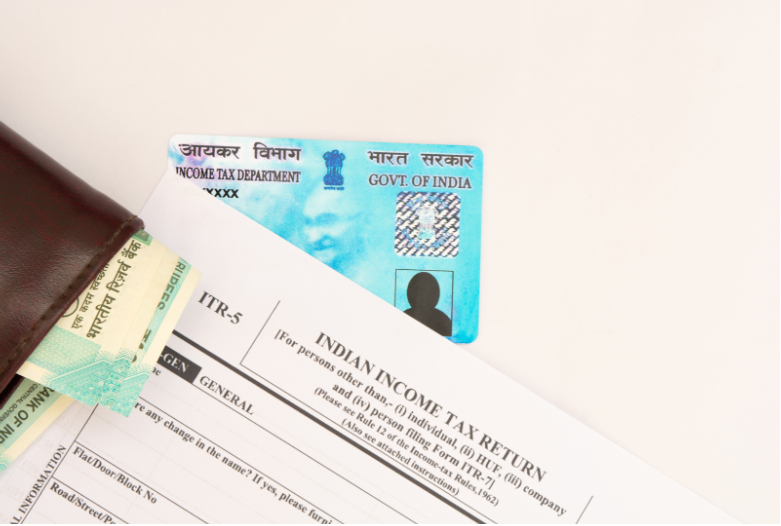
Applying for a PAN and updating a PAN can look similar online, but they solve different problems. If you choose the wrong route, you may end up filling out the form twice, uploading the same documents again, and delaying your work. This guide breaks down what to pick, when to pick it, and how each online flow usually works.
Applying for a PAN Card vs Updating a PAN Card: What’s the Difference?
At a high level, think of these as two tracks:
If you’re applying for a PAN card, it means you need a PAN card issued for the first time.
If you’re updating a PAN, it means you’re correcting or changing details already linked to an existing PAN.
In other words, one track helps you get the PAN, and the other helps you fix or refresh the details on it.
When Applying for a PAN Card Online Is the Better Fit
You would typically apply online when the situation is straightforward, and you do not already have a PAN allotted to you.
This option is usually the right choice if you’re applying for a PAN for the first time, or if you need a PAN created from scratch because there is no existing PAN record to correct.
If you already have a PAN number and the issue is with the details printed on the card or stored against your PAN, you generally need the update/correction route instead.
When a PAN Card Update is The Right Choice
A PAN update is for situations where your PAN exists, but something about your details needs correction or a change. The types of changes commonly covered include:
Name (including change after marriage, where applicable)
Date of birth
Father’s name
Address
Mobile number and email
Photo and signature
In these cases, you usually submit the PAN card correction form and select only the fields you want to change, along with supporting documents based on the change requested.
What The PAN Card Correction Form Covers
The PAN card correction form is the standard form used to request changes in existing PAN data and, in many cases, to request a reprint of the PAN with the corrected details.
Before you start, it helps to be clear about two things:
Which exact fields do you want to change (name, address, date of birth, mobile number, etc)
Which documents support that specific change (because different updates may call for different proofs)
If you prefer keeping an offline copy for your records, you can download a PAN card correction form in PDF format from an authorised portal and refer to it while entering details online.
How The Online PAN Card Update Flow Typically Works
While authorised portals may differ slightly in layout, the online correction journey often follows a familiar pattern.
Start The Application And Generate a Reference
You generally begin by choosing the option for change/correction in PAN data and entering basic details such as:
Name and date of birth (or formation details, as applicable)
Contact details (email and mobile)
PAN number
A verification code is shown on the screen
After this, you typically receive a token or reference number that helps you continue the form later if your session breaks.
Choose How You Want to Submit And Verify
Most online systems offer more than one submission method, such as:
A fully digital route using identity verification and e-signature
Uploading scanned documents with an e-signature
A physical route where documents are sent by post
If you aim to finish online with fewer steps, the paperless option is often designed for that. If you choose a physical route, you usually print an acknowledgement, attach documents, and send them to the address specified on the portal.
Enter The Correction Details Carefully
This is where many people slip up, not because it’s hard, but because it’s easy to rush.
A clean approach is:
Tick only the fields you want to change
Enter the corrected information exactly as per your proof documents
Re-check spellings, date formats, and contact details before you move ahead
Upload Proofs, Photo, And Signature
You’ll typically upload:
A copy of your PAN (as supporting identification)
Proof documents aligned to the change requested
Photo and signature files (as per the portal’s upload rules)
After uploading, you usually see a preview. Use this step properly; if something looks off here, it’s better to correct it immediately rather than hope it “gets fixed later”.

Pay And Complete Verification
Once the form is submitted, you generally reach the payment step. A nominal fee may apply, and payment options can vary by portal.
After payment, you often complete verification (for example, via OTP-based authentication) and then download an acknowledgement for tracking.
Tracking Your PAN Update After Submission
After you submit a correction request, you’ll typically receive an acknowledgement number (or reference number). This is what you can use to track the status online.
You may also get updates on your registered mobile number when the card is processed and dispatched, depending on how you chose delivery.
Common Mistakes That Lead to Rejections or Delays
A few avoidable errors tend to show up again and again:
Entering details that don’t match the proof documents
Updating one field but uploading proof for a different field
Skipping the field selection/tick boxes and assuming the portal will “understand”
Uploading unclear photo/signature files that don’t meet portal requirements
Using an email/mobile number you don’t currently access (which can complicate verification)
Conclusion
Choosing between a fresh PAN application and a PAN update is easy once you ask one question: Do you need a new PAN, or do you need to correct details on an existing PAN? If it’s your first PAN, apply for a new one. If your PAN already exists and you need changes, like name, address, date of birth, contact details, photo, or signature, use the correction/update route, keep your documents ready, and review the preview carefully before final submission.
Frequently Asked Questions
Q1: What’s the difference between applying for a PAN and updating a PAN?
Applying for a PAN is for getting a PAN issued for the first time. Updating is for correcting or changing details already linked to an existing PAN.
Q2: Can I apply for a PAN again if I already have a PAN number?
If you already have a PAN number, you generally shouldn’t apply again for corrections. In most cases, you should submit a correction/update request instead.
Q3: Where can I download the PAN correction form PDF?
Authorised portals typically provide a downloadable PDF version of the PAN correction form. You can use it for reference while completing the online process and for your own records.
