
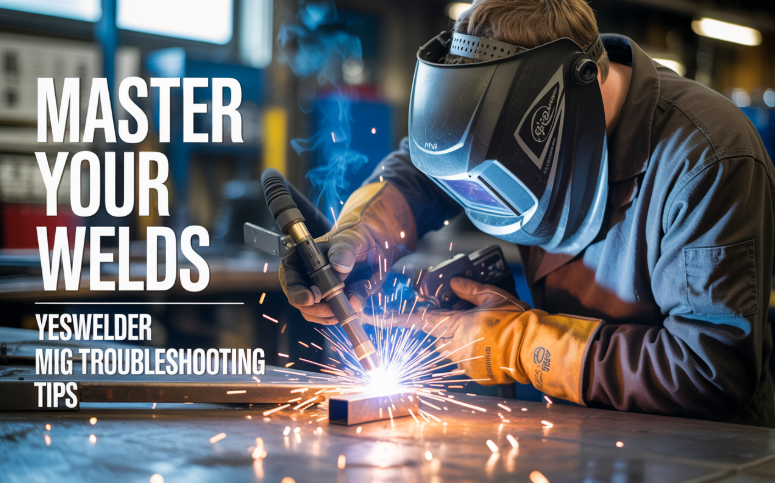
Every welder — beginner or expert — runs into problems now and then. When you’re working with a MIG machine, even small issues can interrupt your flow or ruin a weld. But with the right approach, many of these problems are easy to fix.
If you’re using YesWelder gear, knowing a solid set of troubleshooting tips can make a real difference. Use this guide to tackle common MIG welding issues confidently, improve your technique, and get better welds.
Why Troubleshooting Matters for MIG Welding
MIG welding isn’t just about pressing the trigger: several systems have to work together smoothly — the power supply, the wire-feed mechanism, your shielding gas, and the torch.
When one part is out of sync, you’ll notice it. That’s where mig welding troubleshooting comes in. Rather than guess, use a methodical way to diagnose and fix the problem quickly. YesWelder offers a helpful guide that covers 20 common issues and how to solve them.
Common Problems & Practical Fixes with YesWelder MIG Welders
Here are some of the most common MIG welding problems and how to fix them — based on YesWelder’s own troubleshooting guide.
No Arc or No Power
Problem: Machine won’t start or no arc when you pull the trigger.
Fix: Check the power cord, main switch, circuit breaker, and ground clamp. Make sure connections are clean and tight.
Unstable or Erratic Arc
Problem: Arc sputters or jumps around.
Fix: Adjust voltage and wire feed speed. Clean or replace the contact tip. Ensure shielding gas flow is between 15–25 CFH.
Wire Feed Issues
Problem: Wire feed is jerky or stops.
Fix: Inspect drive rolls, set correct tension, clean the wire path, and check the liner for kinks or wear.
Too Much Spatter
Problem: Weld is messy with scattered spatter.
Fix: Lower voltage slightly, correct stick-out (¼–⅜ inch), and clean the base metal before welding.
Poor Penetration
Problem: Weld sits on top of the surface.
Fix: Increase voltage and wire feed speed. Slow down travel speed. Clean the joint for better penetration.
Burn-Through (Holes in Metal)
Problem: Weld burns holes in the base metal.
Fix: Reduce voltage and wire speed. Use a backing plate on thin metal and weld a little faster.
Contact Tip Burnback
Problem: Wire fuses to the contact tip.
Fix: Keep proper stick-out distance, replace burnt tips, and ensure good gas flow.
Porosity (Small Holes in Weld)
Problem: Air pockets weaken the weld.
Fix: Increase gas flow, check for leaks, and make sure the metal is completely clean before welding.
Wire Bird-Nesting (Wire Tangling)
Problem: Wire tangles behind the drive rolls.
Fix: Reduce drive roll tension slightly, check the liner, and ensure the spool spins freely.
Inconsistent Bead Appearance
Problem: Weld bead looks uneven or unstable.
Fix: Maintain steady travel speed, correct stick-out, and confirm wire feed is running smoothly.
Burn-Through (Holes in Metal)
Problem: Heat melts completely through the material.
Fix: Lower voltage and wire feed speed, move faster, and use a backing plate for thin metal.
Wire Bird-Nesting
Problem: Wire tangles behind the drive rolls.
Fix: Reduce tension slightly, realign drive rolls, and replace a worn liner if needed.
Inconsistent Bead Appearance
Problem: Bead looks uneven in width or height.
Fix: Maintain steady travel speed, correct stick-out, and ensure stable wire feeding.
Gas Flow Issues
Problem: Weld quality drops due to low or excessive shielding gas.
Fix: Set gas flow to 15–25 CFH, check for leaks, and make sure the nozzle isn’t clogged.
Overheating
Problem: Welder shuts off or becomes too hot to use.
Fix: Allow cooling time, respect the duty cycle, and improve ventilation around the machine.
Pro Tips for Better MIG Welding with YesWelder
Keep your gear clean: Check contact tips, nozzle, and liner regularly. Dirty or worn parts are often the root cause of many problems.
Use the right consumables: The wire, drive rolls, and tips should match your welding job. YesWelder has a guide on choosing and maintaining consumables.
Choose and store gas carefully: Use the right gas mix (like 75/25 Argon/CO₂ for mild steel) and monitor your flow. Leaks or low flow lead to porosity.
Practice steady technique: Good welds come from steady hand movement, proper stick-out, and correct travel speed — not just from cranking up settings.
Inspect after every job: Once you finish a weld, check it — that way, if there’s a problem, you catch it early and fine-tune before things go wrong again.
When to Call for Help
Sometimes you just can’t fix a problem with a quick tweak. If you’re still having frequent wire feed issues, power surges, or overheating even after troubleshooting, then it’s time to:
Contact YesWelder support (they’re helpful and knowledgeable)
Check your machine’s manual — manufacturer specs often reveal hidden settings or warnings
Ask in welding communities — many welders have seen the same issues and can share techniques
Final Thoughts
Mastering welding isn’t about having a perfect machine — it’s about knowing how to fix it when things go wrong. By using this YesWelder MIG welding troubleshooting guide, you can save time, reduce frustration, and get better, stronger welds. Problems are a part of the process — but with the right approach, you’ll handle them like a pro.
So the next time your MIG weld isn’t behaving, don’t panic. Use these tips, stay calm, make small adjustments, and keep welding. Your skill will grow, and your welds will show it.
